What Devices Are Compatible With IPTV Streaming?
IPTV streaming can work on smart TVs, Amazon Fire TV devices, Android TV and Google TV players, Apple TV, provider set-top boxes, smartphones, tablets, Windows PCs, Macs, and other supported streaming boxes. Compatibility depends on the IPTV provider's official app or player, the device's operating-system version, video codec and rights-management support, and available network performance. A device category alone is not proof: confirm the exact model, software version, app-store listing, and service features before buying.
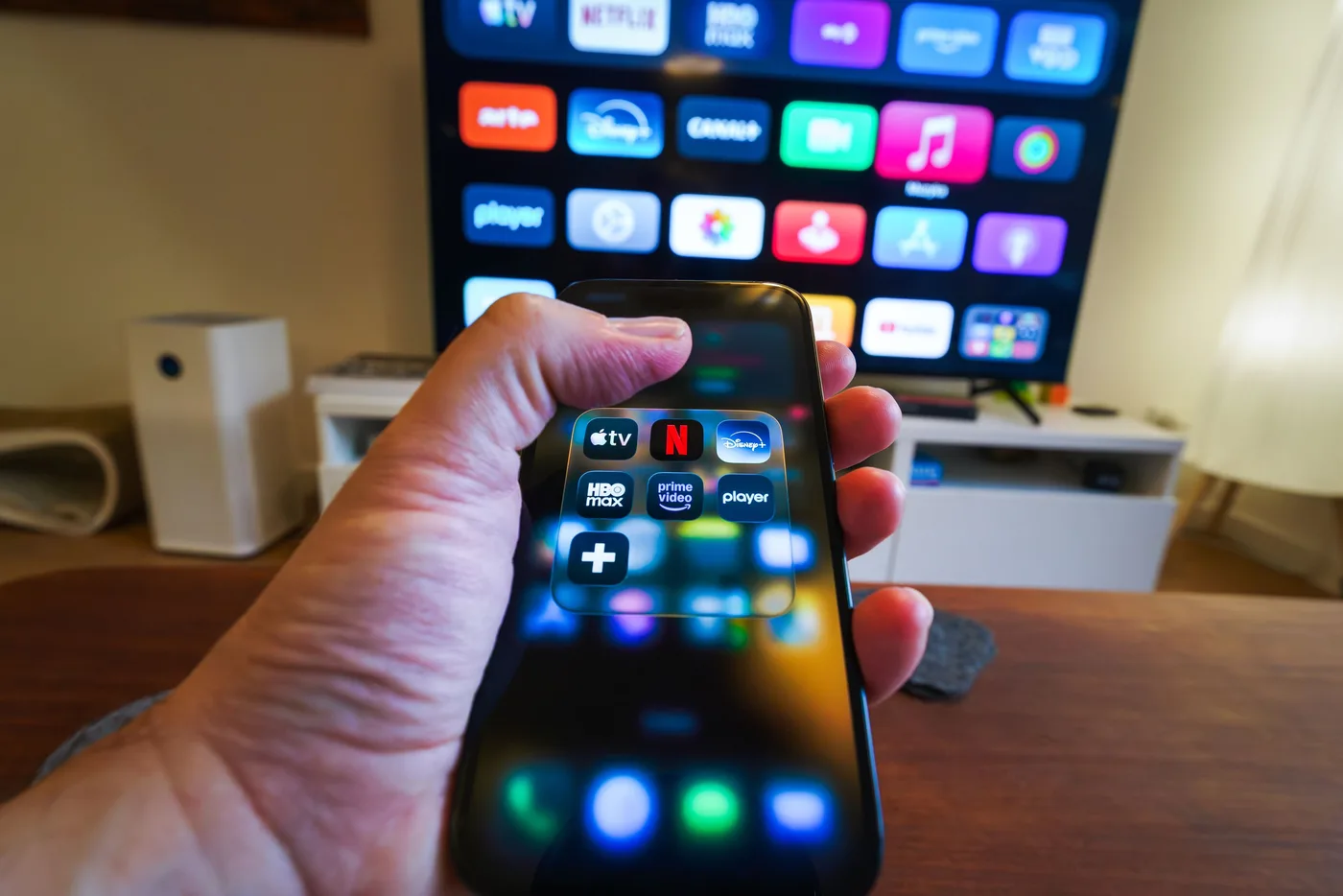
The three layers of IPTV compatibility
A device is compatible only when three layers align. First, the hardware must decode the service's video and audio at the intended quality. Second, its operating system must run a maintained provider app, neutral player or supported browser. Third, the account must authorize that device type, location and number of streams. A modern 4K box can fail if the app is unavailable, while a modest HD stick can be ideal when it has mature official support.
Provider language such as works on all devices should be treated as a summary, not a specification. Ask for platform names and minimum versions. Samsung televisions use Tizen, LG televisions use webOS, Fire TV uses Amazon's platform, Apple TV uses tvOS, and Android TV or Google TV differs from phone Android. App stores, controls and release schedules are not interchangeable.
Compatibility also includes the experience, not merely successful playback. A phone app may support downloads while the television app supports a guide and surround sound. A browser may play live channels but lack recording controls. Casting can transfer a supported stream but introduce extra dependence on the phone and network. Identify required features before deciding that two platforms are equivalent.
IPTV device categories at a glance
| Device category | Main advantage | Main limitation | Best fit |
|---|---|---|---|
| Smart TV app | No extra box or input | App support can end before the screen wears out | Simple one-remote rooms |
| Fire TV device | Broad app selection and inexpensive hardware | Model generations and sideload risks vary | Mainstream streaming and travel |
| Android TV / Google TV | Flexible official app ecosystem | Performance differs widely among certified devices | Provider apps and neutral players |
| Apple TV | Strong performance and integrated Apple ecosystem | Higher hardware cost and a distinct app catalog | Premium living-room use |
| Provider set-top box | Supported end-to-end by the provider | Less choice and possible rental or account lock-in | Managed service and easy support |
| Phone or tablet | Portable, touch-friendly and often first to receive updates | Small screen and mobile data use | Travel, testing and secondary viewing |
| Windows PC or Mac | Browser flexibility, keyboard and diagnostic tools | Less convenient across a living room | Desk viewing and troubleshooting |
| Generic streaming box | Potential ports and format flexibility | Certification, security and updates vary | Advanced users after careful verification |
Smart TVs
A smart TV combines display and playback device. It offers the cleanest installation when the IPTV provider publishes a maintained native app: connect the network, install from the television store and sign in. If krooz tv has that maintained app for your model, no HDMI player or second remote is required. The tradeoff is lifecycle. Television panels can last much longer than app platforms, and older models may lose updates, certificates or store listings.
Find the TV model and operating-system version under Settings or Support, then compare them with the app's official support page. Do not rely only on brand. A Samsung model from one year may be supported while an earlier Tizen generation is not; the same applies to LG webOS and other proprietary platforms. If the native app is absent or slow, preserve the television and add a supported external player.
Samsung Tizen TVs
Samsung smart TVs use Tizen rather than Android. Compatible apps come from Samsung Apps for the television's model year and country. Google Play instructions and Android APK files do not apply. Verify the exact app publisher, install it through the TV, and keep system software current. When a provider supports only newer generations, a Fire TV, Google TV, Android TV or Apple TV device is typically safer than unofficial developer-mode workarounds.
LG webOS TVs
LG uses webOS and distributes applications through LG Content Store or Apps. Availability depends on webOS generation and region. A player advertised for Android phones cannot be installed directly. Check whether the desired app supports guide data, subtitles and the provider's account method on LG specifically. Quick-start behavior can preserve stale sessions, so a full restart may be needed after configuration changes.
Android TV and Google TV televisions
Android TV and Google TV share an app foundation and usually install through Google Play. Google TV adds a content-centered interface, while Android TV remains common on many screens and boxes. Certified models support mainstream rights-management systems, but processor, memory, storage and codec performance vary. Confirm the exact app and test high-motion or high-resolution content rather than assuming the operating-system label guarantees performance.
Fire TV-based televisions
Fire TV Edition and Fire TV-integrated screens use Amazon's application platform. Search the Amazon Appstore for the official provider app. Instructions for a separate Fire TV stick generally resemble the integrated TV, though hardware speed differs by model. Avoid making installation from unknown sources the default. An app outside the store requires stronger verification and manual update responsibility.
Roku, Vizio and other TV platforms
Proprietary platforms can provide excellent mainstream apps but fewer generic IPTV players. Confirm that the provider has an official channel for the exact platform. Browser or playlist assumptions do not transfer from Android. If support is missing, connect an external player rather than changing the television region or installing an unrelated app. Screen mirroring is a temporary alternative, not always a full remote-friendly solution.
How to set up IPTV on a smart TV
Follow safe platform-specific app, account, network, guide and troubleshooting steps after confirming compatibility.
Amazon Fire TV sticks and boxes
Fire TV devices are popular because they are compact, widely available and support many streaming applications. Check the provider app in the Amazon Appstore, the minimum Fire OS version, output resolution and codec requirements. Different generations have different processors, memory and Wi-Fi. A current lower-priced model may be a better purchase than an old flagship sold secondhand. Use the supplied power adapter if TV USB power causes restarts.
Ethernet may require a compatible adapter. For fixed main screens, wired networking can improve consistency, but even a 100 Mbps adapter is sufficient for ordinary compressed IPTV when the link is clean. Sideloading can expand software choice but bypasses store review. Only use a provider's verifiable official file, review permissions and establish how updates will be delivered. Never install a mystery application from a chat link.
Android TV and Google TV streaming devices
Certified Android TV and Google TV players range from compact dongles to powerful boxes. They support remote-friendly apps from Google Play and often provide the broadest choice of established neutral IPTV players. Certification matters for security, app access and digital rights management. A generic box running tablet Android may advertise impressive specifications while lacking reliable updates, proper television controls or high-quality playback in protected services.
Compare IPTV players by platform and use case
Review login methods, guide controls, device support, and current app-store availability before choosing player software.
Compare RAM, storage, Ethernet, Wi-Fi, codecs, HDR formats, audio passthrough and update commitment only after confirming the provider app. More storage helps when many apps are installed but does not improve stream delivery. Faster hardware improves guide navigation and decoding but cannot fix a bad source. For households supporting several TVs, standardizing one certified platform reduces setup variation.
Apple TV
Apple TV uses tvOS and installs apps from its own App Store. It offers responsive hardware, strong integration with iPhone and iPad, consistent updates and polished accessibility. Confirm that the IPTV provider has a tvOS application or supports a reputable compatible player. An iOS app does not automatically include a tvOS version, even when the account can be shared.
Some models include Ethernet while others rely on Wi-Fi, so check the exact generation. AirPlay can send supported video from an Apple device, but rights protection or app policy may limit mirroring. Native tvOS playback is usually more reliable and remote-friendly than maintaining a phone session. Evaluate multiview, audio, subtitles and refresh-rate matching on the TV version because features can differ from mobile.
Provider set-top boxes
A managed IPTV provider may supply or require a receiver. Its advantage is accountability: the provider controls software, remote, authentication and support. Setup can be simpler for people moving from cable, and the operator may optimize traffic within its network. The disadvantages can include rental fees, less application choice, return obligations and dependence on that service. Read whether the box remains property of the provider.
Do not confuse a managed receiver with an anonymous preloaded IPTV box. A credible provider identifies itself, explains content authorization, publishes terms and supplies updates. A box sold with lifetime access to implausibly broad premium content creates legal, security and continuity concerns. The presence of hardware does not prove legitimacy.
Smartphones and tablets
Android phones and tablets
Android mobile devices can use provider apps or compatible players from Google Play. Confirm minimum Android version, publisher and permissions. Touch interfaces make account entry, search and guide browsing easy. Casting may be available to a compatible television, but the cast target and app must support the stream. Mobile Android applications designed for touch may be awkward or unsafe to sideload onto a TV platform.
iPhone and iPad
iOS and iPadOS devices install through Apple's App Store. They suit personal viewing, travel and AirPlay where supported. Check whether the service allows downloads, background audio, picture-in-picture and external display use; these are app-specific. Cellular IPTV can use significant data, and automatic quality may need adjustment. Keep location services available where the licensed service requires them for local programming.
Mobile devices are excellent compatibility test tools. If a stream works on a current phone at the television location but fails on the TV, the TV app, decoder or operating system becomes suspect. If both fail only in that room, investigate Wi-Fi. Respect simultaneous-stream limits during comparison and sign out before lending or selling a device.
Windows PCs and Macs
Computers may use a provider's web player, desktop application or a compatible media player. Browser viewing avoids installing extra software and is easy to test, but supported browsers, DRM, resolution and features vary. Keep Chrome, Edge, Firefox or Safari current according to provider documentation. Private browsing can block persistent login or rights components; aggressive extensions can interfere with playback.
A laptop can connect to a TV through HDMI, but confirm output resolution, audio selection and rights-management support. Closing the lid may change display behavior. A wireless mouse or keyboard helps from a couch, though a native TV app is usually simpler for daily use. Computers are particularly useful for network tests, support logs and comparing whether a fault follows the account or living-room hardware.
Browser-based viewing
A browser provides broad reach without an app-store listing, but it is not guaranteed on television browsers. Built-in smart-TV browsers can lack codecs, DRM, memory and remote controls. Use browser access on a supported Windows PC or Mac unless the provider explicitly documents the TV browser. Verify live channels, fullscreen, captions, hardware acceleration and sleep settings before relying on a computer for an important event.
Casting and screen mirroring
Casting normally tells a receiver such as Chromecast or Google TV to retrieve a stream while the phone acts as controller. Screen mirroring copies the phone's display in real time. Casting can preserve quality and free the phone for other tasks; mirroring consumes phone resources and may show notifications or use a less efficient path. Rights management can block either method. Look for an official cast or AirPlay control inside the app.
Both sender and receiver usually need the same reachable local network. Guest Wi-Fi and client isolation can prevent discovery. Casting is useful for occasional viewing but introduces more steps than a native remote application. For a primary television, select a device with the provider's official app when possible. Do not assume casting permits extra simultaneous streams; account limits still apply.
Streaming boxes and generic IPTV devices
Other Linux, Android-based and proprietary boxes can run IPTV clients, but compatibility and trust vary. Check whether the operating system is certified, receives signed updates, supports the required app store and rights management, and has a traceable manufacturer. Processor model, RAM and advertised 8K output are secondary. Avoid rooted or modified boxes sold with unknown services, disabled security or promises of permanent premium access.
Advanced users may value local networking, USB storage, codec controls and open-source players. Those capabilities add configuration responsibility. Provider support may decline to diagnose an unlisted platform. If household reliability matters, keep the setup within the service's documented matrix or reproduce faults on a supported device before escalating them.
Native app, neutral player, browser or casting?
| Access method | Choose it when | Check before relying on it |
|---|---|---|
| Provider native app | You want the most supported guide, account and DRM experience | Exact device/version and feature differences |
| Trusted neutral IPTV player | The provider supplies an authorized playlist or portal | Player fee, supported format, privacy and app provenance |
| Web browser | The provider documents desktop web access | Supported browser, DRM, resolution and DVR controls |
| Casting | The mobile app officially supports a receiver | Same-network discovery, stream limits and phone control |
| Screen mirroring | You need a temporary display copy | Rights restrictions, notifications, quality and battery use |
A neutral player usually contains no channels. It displays authorized information supplied by a separate service. Its purchase price and the IPTV subscription are distinct. Playlist URLs can contain secret tokens, so enter them only in software you trust. A native app usually offers the strongest provider support; a neutral player can provide interface choice; a browser increases reach; casting adds convenience. Select the smallest number of layers that meets the need.
How to choose the best IPTV device for your situation
For the easiest living-room setup
Use a maintained native smart-TV app if it is responsive and supports every needed feature. Otherwise add a current certified stick or box with a simple remote. Prioritize automatic updates, official app stores and HDMI-CEC control. Avoid unnecessary keyboards and developer modes. The easiest setup is the one every household member can start, navigate and recover.
For an older television
Keep the display and attach a supported HDMI streaming device. Confirm the TV has an HDCP-compatible HDMI input and choose output resolution automatically. Power the player with its supplied adapter. This extends the screen's useful life while moving applications and security to maintained hardware. Very old displays requiring analog converters may create enough complexity to justify replacement.
For sports and 4K viewing
Choose hardware that officially supports the provider app, intended resolution, video codec, HDR and smooth frame rate. Prefer Ethernet or strong modern Wi-Fi. Test rapid motion and audio synchronization. A 4K-capable device does not guarantee a 4K source, and higher resolution should not be prioritized over stable delivery. Confirm multiview and low-latency features on the exact platform.
IPTV service comparison for sports fans
Score exact rights, blackouts, event reliability, frame rate, latency, replay, multiview and seasonal cost.
For frequent travel
Use a phone, tablet, laptop or compact stick, but read provider travel and home-location rules. A stick requires safe power, HDMI and a network that permits activation; always sign out of hotel televisions. Mobile devices are simpler but consume cellular data. Downloaded content works only where the service provides an authorized offline feature. Portability is partly an account rule, not just small hardware.
For a multi-TV household
Standardize one platform where practical and confirm concurrent streams. Use wired connections for easy fixed locations and strong Wi-Fi elsewhere. Name devices in the account, create profiles and configure parental controls. A low-cost player on each screen can be more maintainable than several unrelated smart-TV systems. Test them simultaneously before buying a long subscription.
For accessibility
Verify captions, font controls, screen reader, voice control, audio description, remote design and hearing-device support in the exact app. Operating systems can provide excellent accessibility, but an application must expose controls correctly. Trial with the person who will use the setup. A more expensive device can be worthwhile when its remote and accessibility support eliminate daily friction.
A compatibility checklist before purchase
- Record the exact model, operating system, software version, display resolution and network options.
- Confirm the IPTV provider's official application or approved player and minimum supported version.
- Verify app-store publisher, account method, video and audio formats, DRM and required features.
- Check registered-device, simultaneous-stream, home-location and travel rules.
- Run a trial on the actual device during peak hours and test guide, captions, seeking and recovery.
- Review the hardware manufacturer's update commitment and app performance before purchasing more units.
Troubleshooting device compatibility
If the app is absent, verify region and operating system rather than sideloading the first file found online. If video is black while audio plays, update software and investigate codec, decoder and rights-management support. If the interface crashes, free storage and test another supported device. If every device buffers, test Ethernet and other services before replacing hardware. Keep one variable at a time.
When contacting support, provide model, operating-system version, app version, connection type, error text, affected channels and time. Do not send passwords or playlist tokens. Reproduce the issue on a listed platform if your original device is unsupported. This information lets krooz tv or another provider distinguish account, source, application, hardware and network problems.
Choose a provider with dependable device support
Evaluate documented platforms, maintained apps, support quality, security, trial terms and transparent service limits.
How krooz tv customers should confirm compatibility
The krooz tv site names Smart TV, Android TV, Android and iOS mobile devices, Fire TV, MAG devices, Windows and Mac computers, and IPTV apps or players as broad supported categories. Before purchasing hardware, ask support for the current exact app, minimum operating-system version and account configuration for your model. Confirm simultaneous streams and whether a player carries a separate license.
Use the tutorial hub for the documented installation path and test the service on existing hardware first. If the built-in smart-TV app is missing or underpowered, add a supported external device instead of replacing a good panel. Keep credentials private and use official app stores. Compatibility claims are most useful when reduced from a broad category to one verified model-app-service combination.
krooz tv installation tutorials
Start with the site's current setup hub for Smart TV, Fire TV, Android, iOS, computer and MAG categories.
Final answer
Most modern screens can access IPTV directly or through an external player, but there is no universal IPTV-compatible device. Confirm hardware decoding, operating-system support, official app availability and account rules together. Native smart-TV apps are simplest, certified sticks and boxes extend older televisions, mobile devices add portability, and computers provide browser flexibility and diagnosis.
Choose for long-term support and daily usability rather than headline specifications. Start with devices already owned, trial the exact service, and add hardware only where a measured compatibility or performance gap exists. A current modest player with a maintained official app is a better IPTV device than an expensive box the provider does not support.
Frequently asked questions
Does IPTV work on any smart TV?
No. The TV needs a maintained provider app or compatible player for its exact operating system and model generation. If one is unavailable, a supported HDMI streaming device can usually add compatibility.
Can I watch IPTV on a phone or tablet?
Yes, when the provider offers an Android, iOS or iPadOS app or supports a trusted mobile player. Check travel, location, download and simultaneous-stream rules, and monitor cellular data use.
Is Fire TV or Android TV better for IPTV?
Both can work well. Choose based on the provider's official app, exact model performance, updates, Ethernet needs and interface preference. Certified current hardware matters more than the platform name alone.
Can I watch IPTV in a web browser?
Some providers support current desktop browsers on Windows and Mac. Browser access, DRM, resolution and features vary, and built-in TV browsers should not be assumed compatible unless documented.
Do IPTV players come with channels?
Neutral player apps usually do not include programming. They organize an authorized provider playlist or portal. The player fee and service subscription may be separate, and account URLs should be kept private.
Which devices currently work with krooz tv?
krooz tv presents broad support for smart TVs, Android TV, mobile devices, Fire TV, MAG devices, Windows and Mac. Confirm the exact model, operating-system version, approved app and account method with support before purchasing equipment.
Need help next?
Check your exact device before setup
Review the krooz tv tutorial categories and contact support with your device model and operating-system version for the current approved app path.
View device tutorials