What Equipment Is Necessary to Watch Internet Protocol Television?
The essential equipment for IPTV is a broadband internet connection, a modem or gateway, a router or wired network path, a screen, and a compatible device that can run the authorized IPTV app and decode its video. A modern smart TV may combine the screen and player, while an older television needs an HDMI streaming stick or box. Ethernet cables, mesh Wi-Fi, sound systems, keyboards, storage, universal remotes, and backup power are optional upgrades chosen to solve specific problems, not universal requirements.
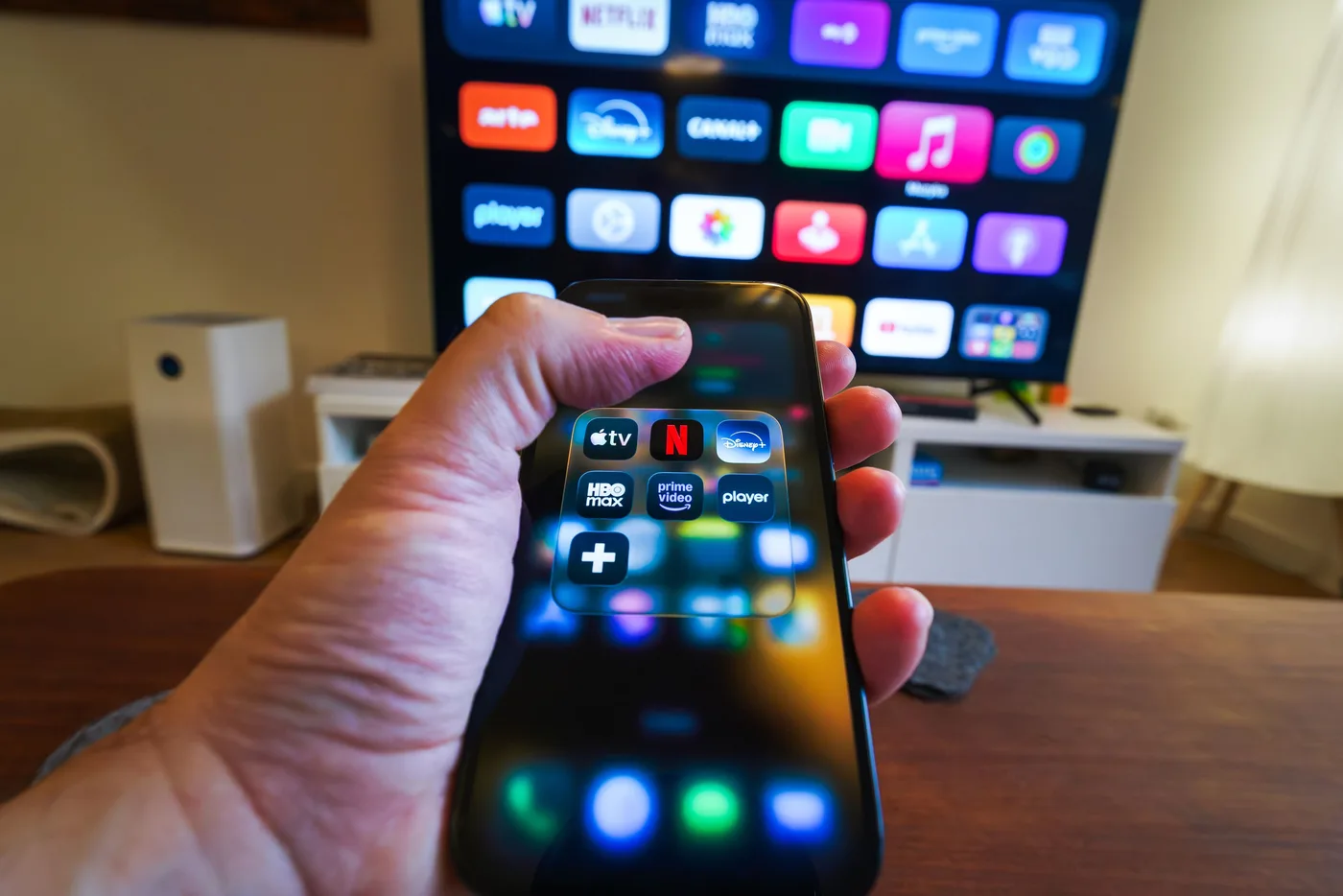
The minimum IPTV equipment list
- Active broadband service with enough sustained capacity for the intended stream quality and household load.
- A modem, fiber terminal or provider gateway that connects the home to the internet service.
- A router or direct wired connection that carries data from the gateway to the viewing device.
- A television, monitor, phone, tablet or computer on which the video and interface can be displayed.
- A compatible smart-TV system, streaming player, set-top box, mobile device or computer that runs the service app.
- A legitimate IPTV subscription or authorized free service and the credentials needed to access it.
Many homes already own every item. A current smart TV connected to a working router can install an official IPTV application without another box, special antenna or satellite dish. The app is software rather than equipment, but compatibility is essential. If the television's app store lacks the provider, an external HDMI player becomes part of the minimum setup. Buy hardware only after confirming the exact app and platform support.
IPTV does not require a device marketed as an IPTV box. That phrase can describe ordinary Android hardware, a provider-managed receiver or an unsafe generic device bundled with unauthorized access. Judge a player by official app availability, security updates, decoding support, network connections, memory and usability. A familiar certified streaming device is usually easier to maintain than an anonymous box promising every channel.
Essential equipment explained
1. Broadband internet service
Internet Protocol Television needs a continuous flow of data. Fiber, cable, fixed wireless, DSL and mobile broadband can all work when they provide sufficient sustained throughput, reasonable latency and stable service. Advertised download speed is only the first screening number. Congestion, packet loss, data caps, traffic management and outages affect television. Check the IPTV provider's current recommendation and test at the hours when the household actually watches.
Calculate demand from simultaneous streams, not screen count. If two televisions may play HD while a third device downloads a game, the connection must support the combined load with headroom. A single 4K stream can use substantially more data than HD, depending on codec and provider bitrate. Where broadband plans impose caps, estimate monthly use. Television watched for hours every day can consume hundreds of gigabytes.
IPTV speed, bandwidth, and data-use guide
Use per-stream planning ranges, household examples, connection tests, and a controlled buffering diagnosis.
2. Modem, optical terminal or gateway
The access device translates the provider's line into a local network connection. Cable internet uses a compatible modem, fiber commonly terminates at an optical network terminal, and wireless services use a receiver or cellular gateway. Some ISPs combine this function with routing and Wi-Fi. Use equipment approved for the plan, keep firmware supported and ensure it can deliver the subscribed speed through its Ethernet ports.
Replacing an ISP gateway is not automatically an improvement. Fiber voice services, authentication and support can depend on provider hardware. Bridge or passthrough modes may let an advanced router handle the home network, but incorrect configuration creates double network address translation or broken television apps. Start with the supported gateway, measure the specific problem and change architecture only with a reason and rollback plan.
3. Router and local network
The router shares one internet connection, directs packets among devices and usually supplies Wi-Fi. For IPTV, it needs enough processing capacity for the plan speed, reliable firmware and coverage where screens are located. Modern dual-band or tri-band Wi-Fi can handle several streams when positioned well. Router packaging with extreme gaming speeds does not guarantee whole-home coverage; wall materials, interference, antenna design and placement matter.
Place the router openly and centrally, above floor level, away from metal cabinets, microwave ovens and dense electronics. A router hidden behind the television begins with obstruction and interference. Use unique administrative and Wi-Fi passwords, current WPA security and updates. Separate guest access from trusted household devices. Quality-of-service settings can help when configured correctly, but they cannot create capacity that the ISP connection lacks.
4. Display
The display can be a smart television, ordinary television with HDMI, monitor, tablet, phone or computer screen. Resolution should match realistic content and viewing distance. A 4K TV can display HD streams through upscaling, while an HD screen cannot show full 4K detail. Confirm available HDMI inputs if adding a player, soundbar and game console. An older screen can remain useful if its panel works and an external device handles modern apps.
Monitors may lack speakers, remote control and television-friendly scaling. Projectors need a suitable HDMI route, audio solution and sometimes rights-management compatibility. Mobile screens combine display, player and networking in one unit but are less comfortable for a group. The right screen is the one suited to the room; IPTV itself does not impose a television brand.
5. Playback and decoding device
The playback device authenticates the account, retrieves the stream, buffers packets and decodes audio and video. It may be built into a smart TV or supplied by a Fire TV, Android TV, Google TV, Apple TV, provider set-top box, phone, tablet, PC or Mac. Confirm the service's official app, minimum operating-system version, codecs, resolution, HDR and audio support. A platform logo without version detail is not enough.
Hardware decoding is especially important for high-resolution HEVC or AV1 video. Weak processors can produce dropped frames or sluggish guides even on fast internet. Memory affects navigation and switching among apps; storage affects updates and cache. Certified devices generally offer known rights-management capabilities and automatic security updates. Choose current support over obscure specifications or a box preloaded with questionable applications.
Complete IPTV device compatibility guide
Compare smart TVs, streaming sticks, boxes, mobile devices and computers by apps, updates and playback strengths.
6. Account and authorized service
Hardware cannot supply programming on its own. You need a licensed IPTV service, broadcaster app, league service or other authorized source. A provider may use a branded login, activation code, playlist, portal or compatible player. If you are comparing a service such as krooz tv, keep those details private. Paying for a neutral player app does not usually buy channels, and buying a service does not always cover a separate player license. Include both in the setup budget.
Choose an IPTV player for your existing hardware
Compare players by operating system, login support, interface, and viewing workflow rather than buying another device first.
Essential versus optional equipment
| Item | Essential when | Optional benefit |
|---|---|---|
| External streaming stick or box | The display has no supported app or adequate decoder | Faster interface and a consistent platform across TVs |
| Ethernet cable | Wireless cannot deliver stable playback | Lower interference and steadier latency for fixed screens |
| Mesh Wi-Fi or access point | One router cannot cover the viewing area | Improved signal when nodes have strong backhaul |
| HDMI cable | An external player is not directly plugged into the TV | Longer routing or support for required video/audio formats |
| Soundbar or receiver | The display lacks usable audio | Clearer dialogue, stronger bass and surround formats |
| Universal remote | Not normally essential | Controls TV, player and sound from one handset |
| Keyboard or phone remote | Not normally essential | Easier credential entry and search |
| UPS battery backup | Not normally essential | Brief operation and safer shutdown during power interruptions |
When do you need an external streaming device?
Use an external player if the provider's app is absent from the television store, the TV no longer receives security updates, menus are slow, storage is full, streams use unsupported codecs or the household wants one familiar interface. A stick plugs directly into HDMI and is compact; a larger box may offer Ethernet, more storage, better cooling and faster hardware. Neither form is universally better.
Confirm official app support before buying. Also inspect power requirements: some sticks are unstable when powered from a low-current TV USB port and should use their supplied wall adapter. Leave ventilation around boxes. Select a model that receives regular updates and supports the display's actual resolution. Paying extra for 8K output provides no benefit when the service, television and content are 4K or HD.
Streaming stick vs streaming box
Sticks suit simple installations and travel. They are inexpensive, hide behind the TV and usually include Wi-Fi and a compact remote. Their small cases can run warm, and Ethernet often requires an adapter. Boxes have space for stronger processors, ports and thermal design. They suit primary rooms, wired networks and frequent use. Compare the exact generation because a new stick can outperform an old premium box.
Ethernet equipment: cables, switches and adapters
A standard Cat5e or better Ethernet cable is adequate for typical IPTV and gigabit home networking over supported distances. Expensive audiophile or extreme-category cables do not improve video once packets arrive correctly. Use undamaged cables with secure connectors and avoid tight bends. Connect the player to a router or network switch; a simple unmanaged gigabit switch can add ports without changing account or IP settings.
Some streaming devices require a USB Ethernet adapter. Verify compatibility and port speed. A 100 Mbps adapter can still exceed the needs of one compressed 4K stream, but gigabit gives more margin for local media and downloads. Powerline networking sends data through electrical wiring and has variable results depending on circuits and appliances. MoCA adapters over existing coax can be a stable alternative where compatible wiring exists.
Wi-Fi equipment and mesh systems
Buy better Wi-Fi only after measuring weak coverage or congestion. A current router may improve capacity, but moving the existing unit or wiring the television can solve the problem at lower cost. Mesh systems place coordinated nodes around the home. Each node needs a strong link back to the main router; installing one where the signal is already poor repeats poor data. Wired Ethernet backhaul produces the most predictable result.
Wi-Fi extenders can help light use but often reduce available airtime when they receive and retransmit on the same radio. A wired access point is preferable when cabling exists. Name bands consistently for easy roaming unless a diagnosis requires separate names. Do not force every device onto 5 GHz when distance makes 2.4 GHz more stable. The objective is sustained clean throughput, not the highest link-rate number in settings.
Optional audio and control accessories
A soundbar can make dialogue easier to understand and add fuller sound, but it does not affect IPTV stream quality. Connect through HDMI ARC or eARC when supported so the TV remote can control volume. Receivers support more speakers and sources but introduce format and handshake settings. If video disappears after adding audio equipment, test the player directly on the television to isolate the HDMI chain.
A universal remote or HDMI-CEC can reduce three handsets to one. CEC names vary by television brand and can occasionally switch inputs unexpectedly, so enable only the controls that help. Bluetooth keyboards and phone remote apps make long searches and credential entry easier. Use trusted remote apps on the same private network and remove saved passwords afterward. Accessibility remotes with larger buttons or voice control can be more valuable than technical upgrades.
Do you need storage for IPTV?
Most mainstream IPTV recording is cloud-based, so a USB drive is not required. Some player apps can record locally, but the provider must permit it, the device must support storage, and streams may be protected. Recording consumes space quickly and a small flash drive may not sustain long writes. Check filesystem, retention and rights rules before purchasing a drive. Never assume local recording can bypass a service restriction.
Additional internal storage can help Android-based devices install apps and retain cache, but adopted storage may be encrypted to that device. It will not improve a provider's server or Wi-Fi. Clear unused apps before buying storage. Cloud DVR is simpler across devices, although it may have retention periods, channel restrictions or substitutions with on-demand versions.
Recommended setup scenarios
The simplest one-TV apartment
Use existing broadband, the ISP gateway and a supported smart-TV app. Connect Ethernet if the router is near the television; otherwise use strong 5 GHz Wi-Fi. Add no hardware until the service passes a trial. If the TV app is missing or slow, add one current certified stick. This setup minimizes cost and components while preserving an easy upgrade path.
A family with several televisions
Choose one supported platform for consistency, verify the subscription's simultaneous-stream limit and calculate combined internet demand. Wire the main television and any easy fixed locations. Use a well-placed router, wired access points or mesh with strong backhaul for the rest. Label remotes and device names. Profiles and parental controls matter more here than premium processors. Test all expected streams together before committing long term.
A sports-first living room
Use a current player with reliable high-frame-rate decoding, Ethernet, a responsive remote and enough output capability for the television. Confirm the app supports the service's multiview, DVR and low-latency features on that exact platform. Keep an authorized backup app or antenna where appropriate. A soundbar is optional; stable network and correct rights are essential.
Where to find authorized IPTV sports streams
Map an event to its official broadcaster, account for blackouts and prepare a reliable game-day path.
A traveler or student
A phone, tablet or compact stick can provide portability, but first read home-location and travel rules. Hotel Wi-Fi may require browser sign-in and may block device communication; a travel router can help only when permitted by the network. Never leave credentials signed in on a shared television. Mobile data can consume allowances quickly, so lower quality when appropriate and use downloads only where the service authorizes them.
An older television
Keep the panel if its picture and HDMI input are sound. Add a certified player supported by the IPTV provider and power it correctly. The external device supplies current apps and decoding; the television becomes a display. If the screen lacks HDMI, converter chains can create rights-management and quality problems, and replacing the display may be more sensible than stacking adapters.
What equipment will not fix IPTV buffering?
Diagnose IPTV buffering before buying equipment
Test the device, network, route, player, and source methodically so any purchase addresses a measured limitation.
A new television cannot fix an overloaded provider server. A premium router cannot overcome an ISP outage. Faster broadband cannot make unsupported video decode on an old chipset. A VPN may add overhead and does not create content rights. Diagnose the chain before buying: compare channels, apps, devices, Ethernet and time periods. Match the remedy to the layer that fails.
- Test the affected service and a well-established video app on the same device.
- Connect the IPTV device to Ethernet and pause other large household traffic.
- Test the same account on a current second device, within permitted stream rules.
- Record whether failure follows the channel, app, device, network location or time.
- Update the implicated component, then contact the ISP or provider with evidence before replacing hardware.
Evaluate provider-side reliability
Use trial behavior, support, infrastructure signals and transparent policies to assess the service itself.
Security when buying and configuring equipment
Purchase devices from reputable sellers and reset used hardware before signing in. Keep automatic updates enabled, change default router credentials and use current Wi-Fi encryption. Avoid boxes bundled with unexplained lifetime service or apps that request disabled security. A streaming player shares the home network with personal devices, so software provenance matters. Remove accounts and factory-reset equipment before resale or recycling.
Treat M3U addresses, portals and activation codes like passwords. Enter them only in the authorized provider app or a trusted compatible player. Do not use random online converters or send screenshots to public support groups. If a technician needs remote access, verify identity, observe the session and revoke access afterward. A legitimate setup should not require online banking credentials or unrestricted control of another computer.
How to budget for an IPTV setup
Separate recurring and one-time costs. Recurring costs include internet, television service, player subscriptions, sports add-ons and possibly data overages. One-time costs may include a streaming player, Ethernet cable, switch, adapter or sound system. Price the minimum viable setup first. Trial it, then buy upgrades only for measured limitations. This avoids spending more on infrastructure than the subscription saves compared with cable.
Also account for useful life. A slightly more expensive certified device with years of updates can cost less than replacing an unsupported generic box. Router investment benefits every household device, while a premium player benefits one screen. Cabling has a long life and often offers the highest reliability per dollar. Annual service prepayment is not equipment and should not be used to justify hardware purchases before the service earns trust.
Put the equipment into a secure smart-TV setup
Install the approved app, configure account details, test the guide and diagnose playback one layer at a time.
Final equipment checklist
- Confirm a legitimate service and the exact app before selecting a playback platform.
- Verify broadband stability, data terms and combined simultaneous-stream demand.
- Use the existing modem or gateway unless a measured limitation requires change.
- Place and secure the router properly; wire fixed screens when practical.
- Choose a supported display and decoder combination with current updates.
- Add mesh, audio, storage, adapters or controls only to meet a defined need.
- Keep receipts, model details, app versions and support information for diagnosis.
For most people, the best equipment list is short: working broadband, a decent router, a television and one supported app or streaming player. krooz tv customers should confirm the currently approved app and device with support before purchasing hardware. Begin with what you own, test it under normal conditions and upgrade the specific weak link. IPTV rewards a stable, maintainable setup more than a shelf full of accessories.
Frequently asked questions
Do I need a special IPTV box?
No. A supported smart TV, streaming stick, box, phone, tablet or computer can decode IPTV. Use a provider-approved platform with current updates. A special box is necessary only when the provider specifically supplies or requires one.
Do I need an antenna or satellite dish for IPTV?
No, IPTV arrives through an IP network. An antenna can be an optional backup for available local broadcasts, but it is not part of IPTV delivery. Satellite hardware is needed only for a separate satellite service.
Is a high-end router required for IPTV?
Usually not. A maintained router that supports your broadband speed and provides strong coverage can handle IPTV. Upgrade when measurements show congestion, weak coverage, insufficient ports or old security support.
Can an old TV work with IPTV?
Yes, if it has a usable HDMI input. Add a current provider-supported streaming device. Very old displays without HDMI may require converters that create compatibility issues, making replacement more practical.
Should I buy Ethernet cable for IPTV?
Ethernet is inexpensive and highly useful for fixed televisions. It reduces Wi-Fi interference and makes troubleshooting easier. Cat5e or better is sufficient for ordinary gigabit home runs and compressed video.
What equipment does krooz tv require?
You need internet and a compatible playback device. Confirm the exact app, operating-system version and connection method with krooz tv before buying a stick or box, because supported platforms and account methods can change.
Need help next?
Confirm your equipment before you buy
Use the tutorial hub and ask krooz tv support whether your exact television, player and operating system support the current service setup.
Check tutorials